Guardrails
The board
A local git client scoped to your work: how to start and stop it, what it listens on, what it sends, and its limits.
On this page
In brief.
lane boardis a local web page for the work you have in flight: lanes, diffs, staging, commits, history and memory. It listens on127.0.0.1only and sends no telemetry, but it is not network-free (GitHub polling). Remember: its token is per run, and other local accounts can reach the port. See Network and limits.
lane board opens a local web page. It is a git client scoped to the work you have in flight, meant to replace
reaching for a desktop git app for that work; it is not a general-purpose git client.
It listens on 127.0.0.1 only and reads the same files the commands do. It sends no telemetry.
The page itself makes no outbound requests: its fonts ship with the board and the server serves them.
The board is not network-free, though: with it open, a background task polls GitHub through gh for
pull request status (details in Network and limits).
Starting and stopping
lane board                         # starts the server, opens your browser
WS_BOARD_PORT=7801 lane board      # a different starting port
WS_BOARD_NO_OPEN=1 lane board # start without opening a browser- It runs in the foreground and stops when you press Ctrl-C. There is no daemon and nothing starts at login; nothing is listening when you have not run it.
- Address and port:
http://127.0.0.1:7777/by default. If the port is taken it tries the next one, up to 20 attempts. It prints the address it settled on, aslane-board http://127.0.0.1:<port>/ (Ctrl-C to stop). It never binds0.0.0.0. - The token is not printed. The terminal shows only that line. The
token is embedded in the page the server sends your browser. To call the JSON API yourself, load
/and read it from the page source (window.__T), then send it as anX-Tokenheader. - Only
127.0.0.1andlocalhostare accepted as the Host. Every request,GET /and the static files included, must carry aHostof127.0.0.1:<port>orlocalhost:<port>(the server’s own port) and anOriginof the same when one is sent; anything else gets403. Request bodies over 1 MiB get413. - It restarts itself if its own server file changes on disk, which happens when
lane upgradereplaces the package while the board is running. - While it runs, it refreshes git state every 3 seconds (
WS_BOARD_REFRESHchanges that, in seconds), sessions every 45 seconds and pull request status every 60 seconds. The refresh setsGIT_OPTIONAL_LOCKS=0, so it does not make your owngit addfail withindex.lock exists.
Which workspace it shows
The board shows the workspace you start lane board in (or the one LANE_WORKSPACE names). To look
at another workspace, run lane board there. Every state-changing action (stage, commit, push, pull,
discard, amend, start, resume, park, done) is checked on the server against that workspace’s registry
on every request. See the board section of the security model.
Three places
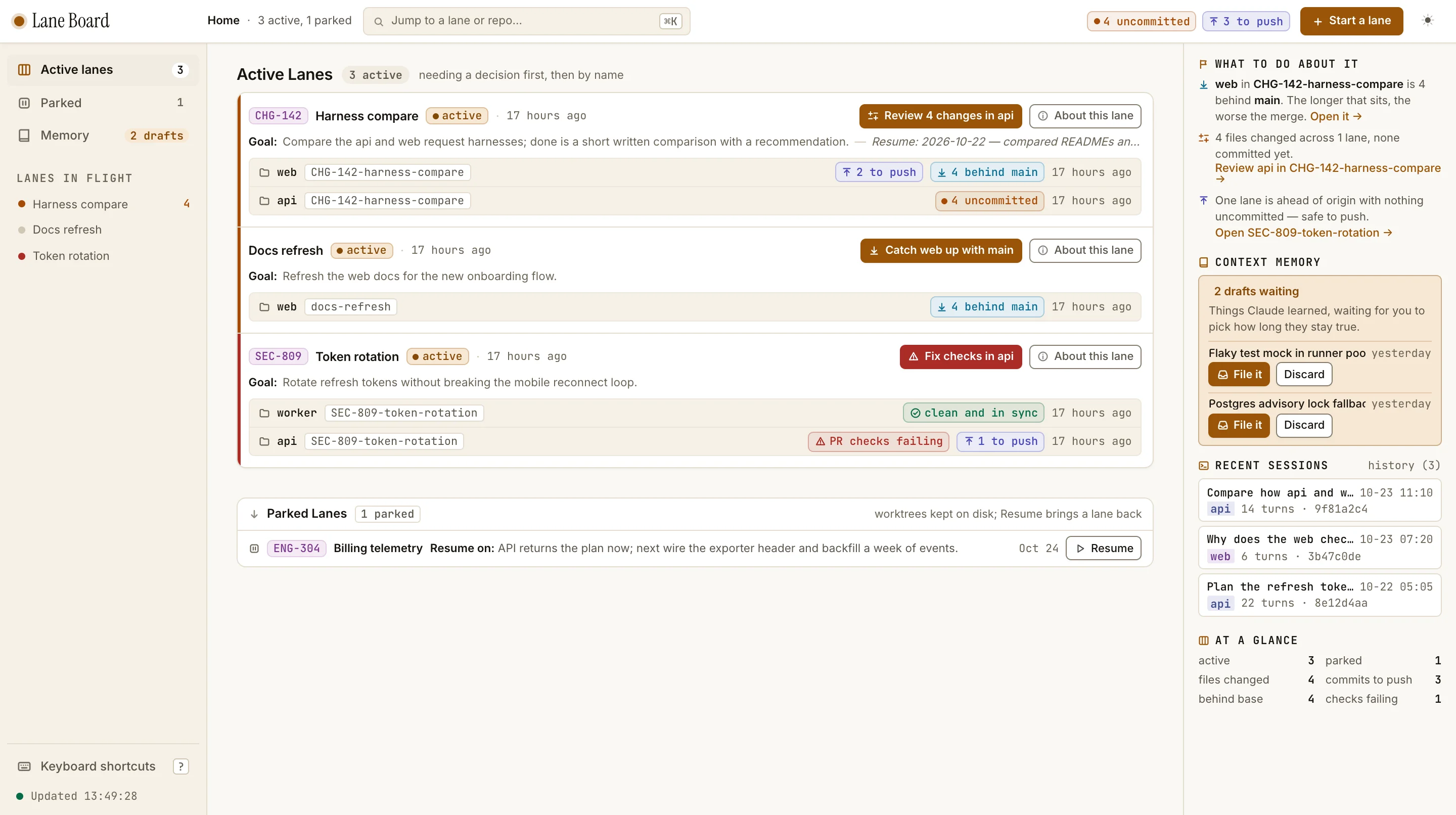
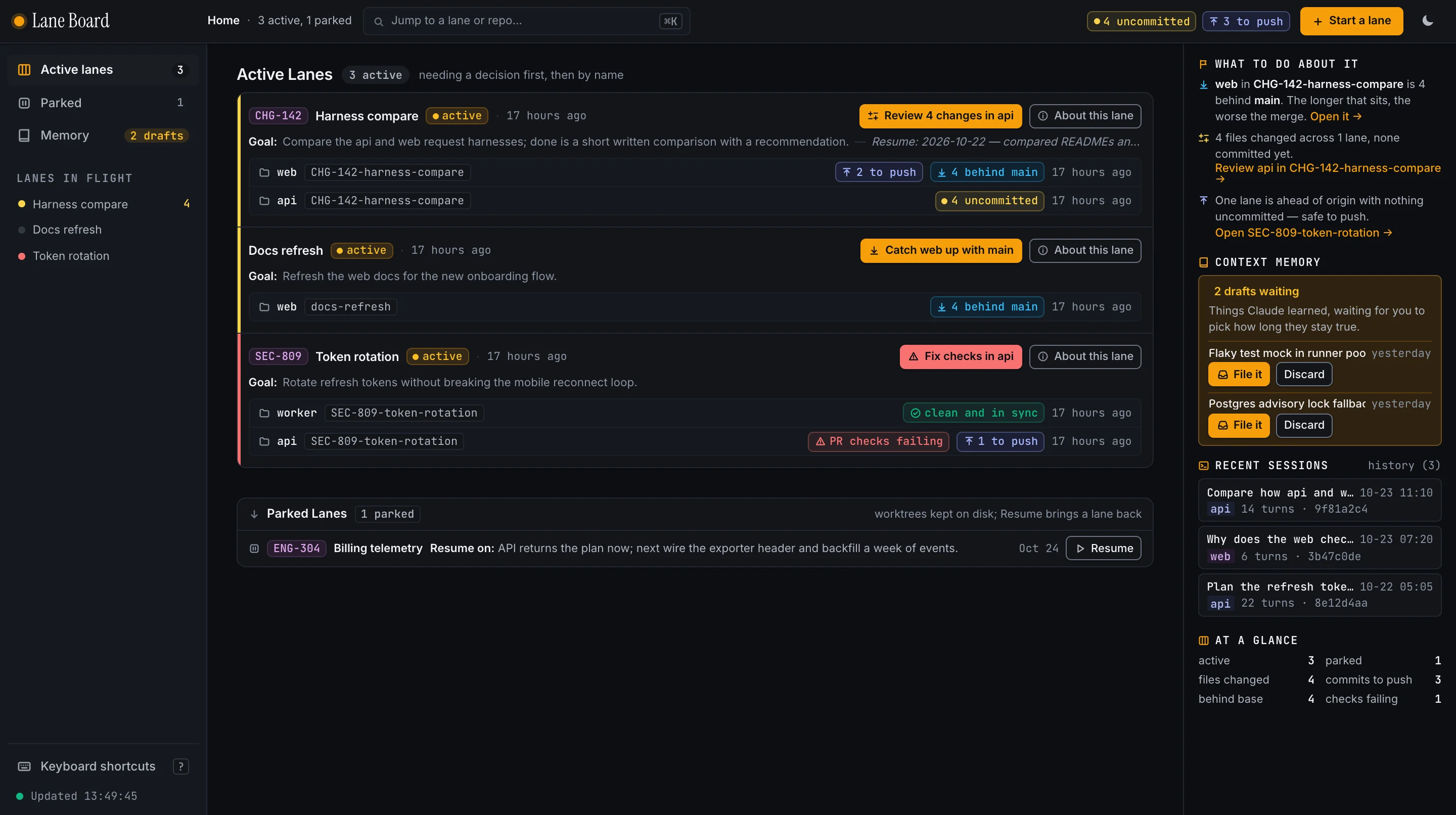
A rail on the left holds them: Active lanes (Home), Parked, Memory with its count of drafts, and every lane in flight, so any lane is one click away. The top bar shows where you are, a jump field, workspace-wide tallies (uncommitted, to push, behind), Start a lane and the theme button.
Home is what opens: a dense list of the work you have in progress, ordered by what wants a decision first, then by name. Each lane is one block: ticket, title, status, and one next-action button that opens the lane on the repo that needs it (review changes, catch up with the base, fix checks, push, open a pull request, finish). Under it, the Goal and the resume note share one line, then one line per repo with its branch, status chips (uncommitted, to push, behind its base, PR checks failing, clean and in sync) and its last activity. Parked lanes are single lines with their resume note and a Resume button, in a section that folds away.
The right column answers “what should I do next?”: a short list of what to do about it, each with a
link to the lane; memory drafts waiting for a scope, with File it and Discard; recent Claude
conversations, where a click copies claude --resume <id>; and a tally at a glance.
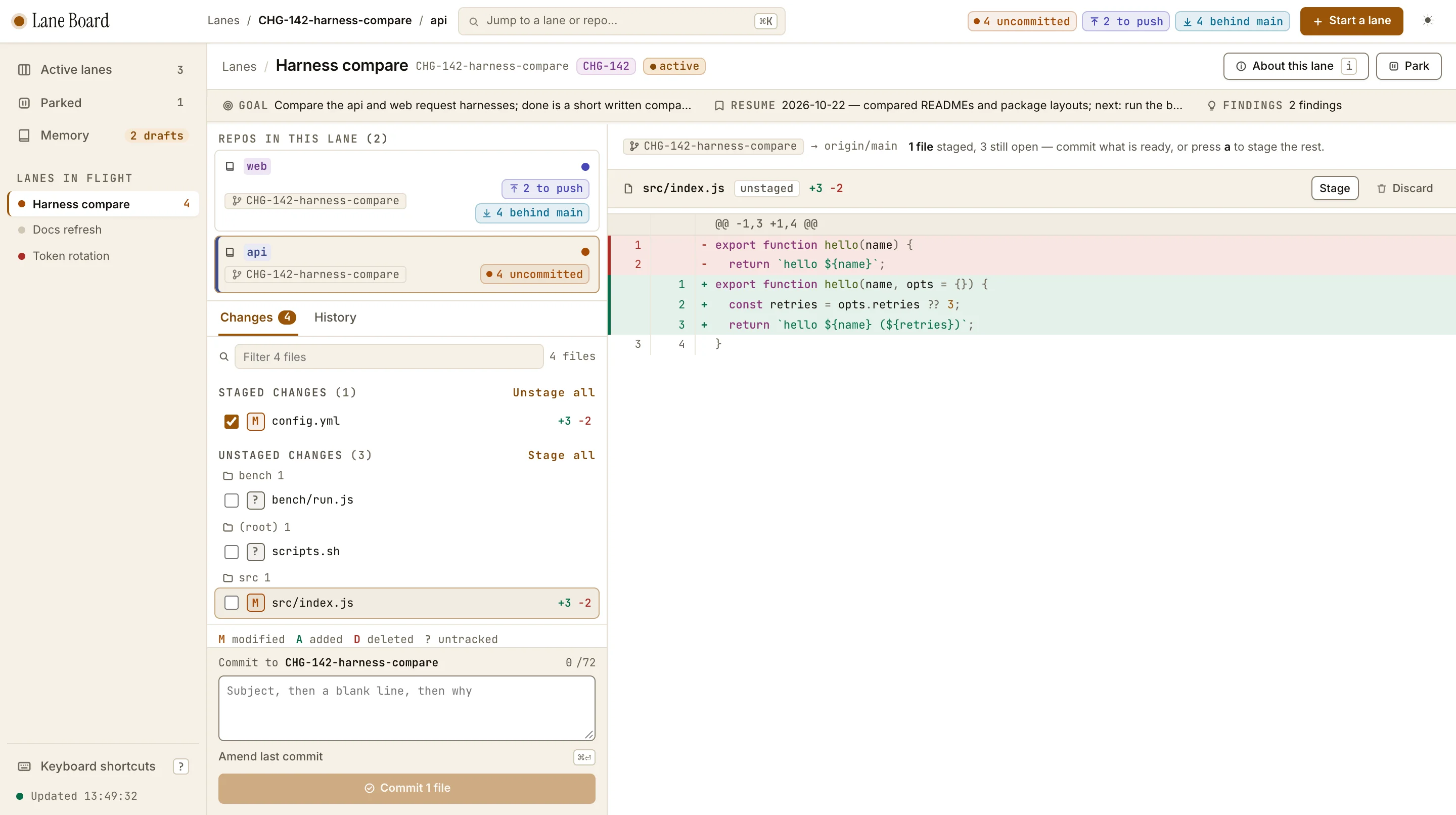
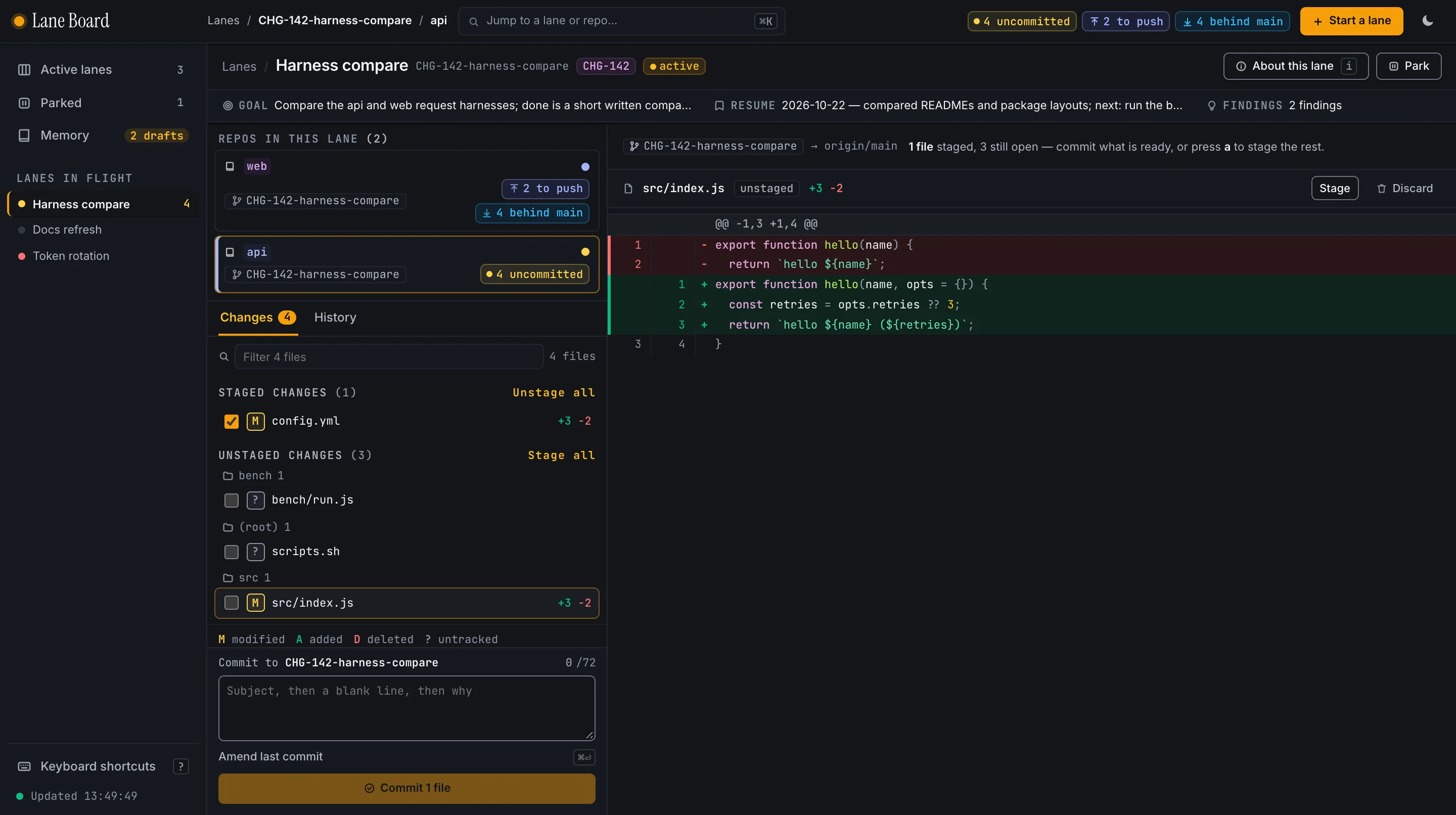
A lane is one piece of work. Under its title a strip shows the Goal, the resume note and the number of Findings. On the left are the repos it spans, each with its branch and state, and below them the changes, split into staged and unstaged, with the commit box underneath. The diff of the file you picked fills the right, with Stage and Discard for that file.
The History tab has a scope toggle: this repo’s branch, or every repo of the lane at once. A piece of work spans repos, so its history should too. Click a commit to read what it changed.
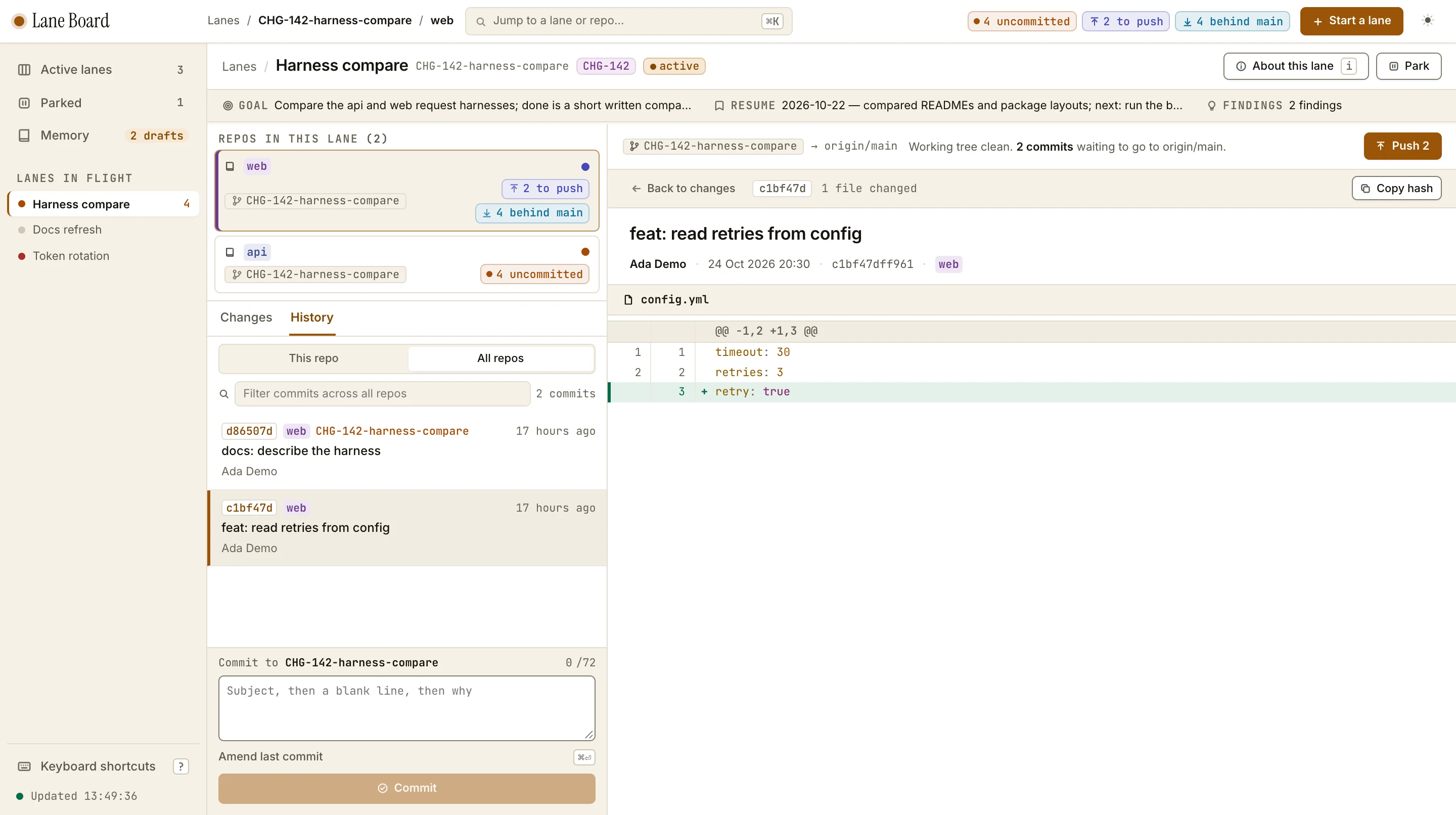
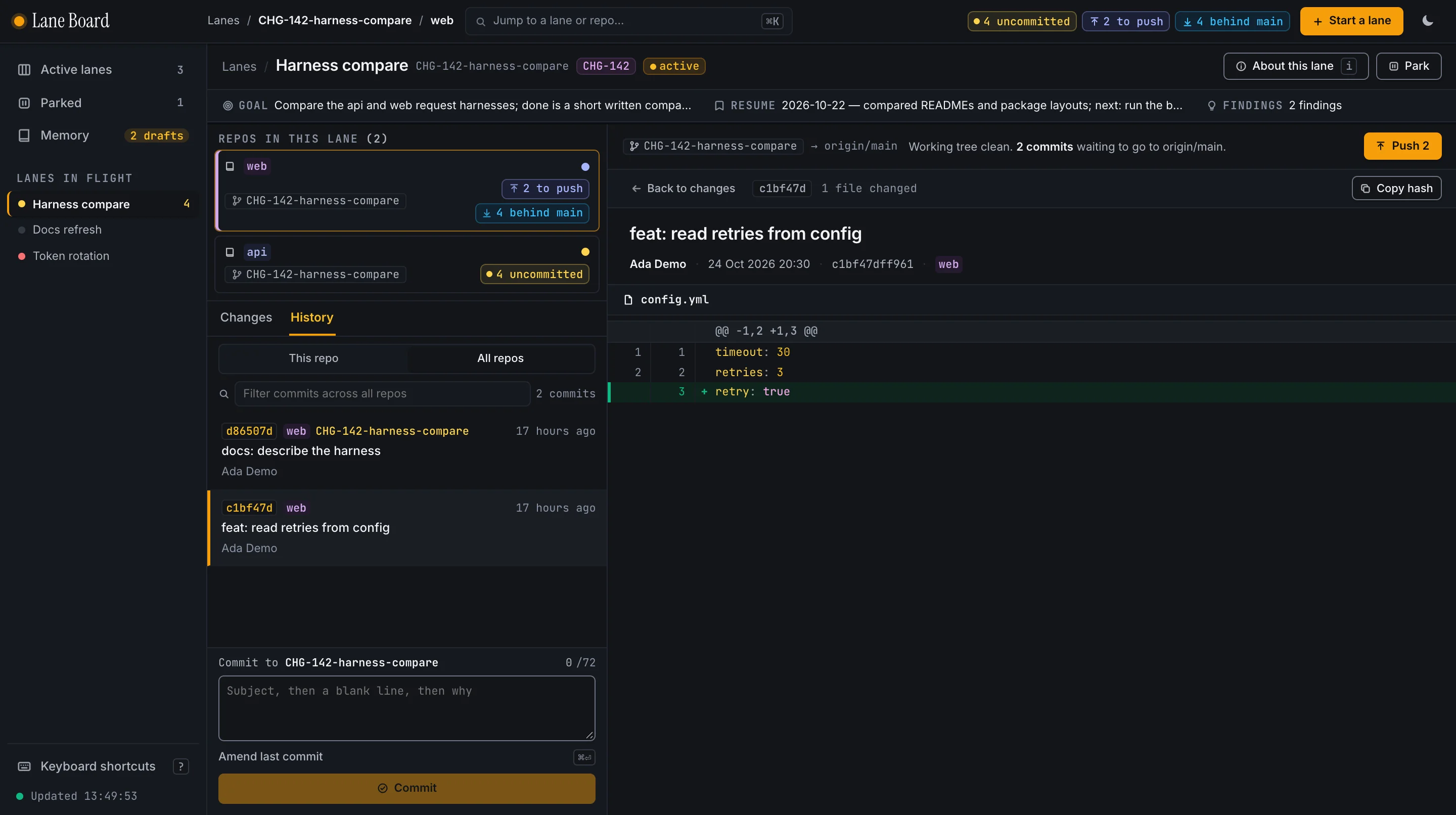
About this lane (the button, or press i) is one scrolling side panel: the Goal, resume note,
Findings, the lane’s repos, references (with Reveal and Detach), past sessions and the lane file.
Memory browses the scopes and what is in each: pending drafts, preferences, cross-repo and one scope per repo. Drafts wait for you to pick a scope, and File it or Discard settles them; a filed memory can be moved to another scope or deleted.
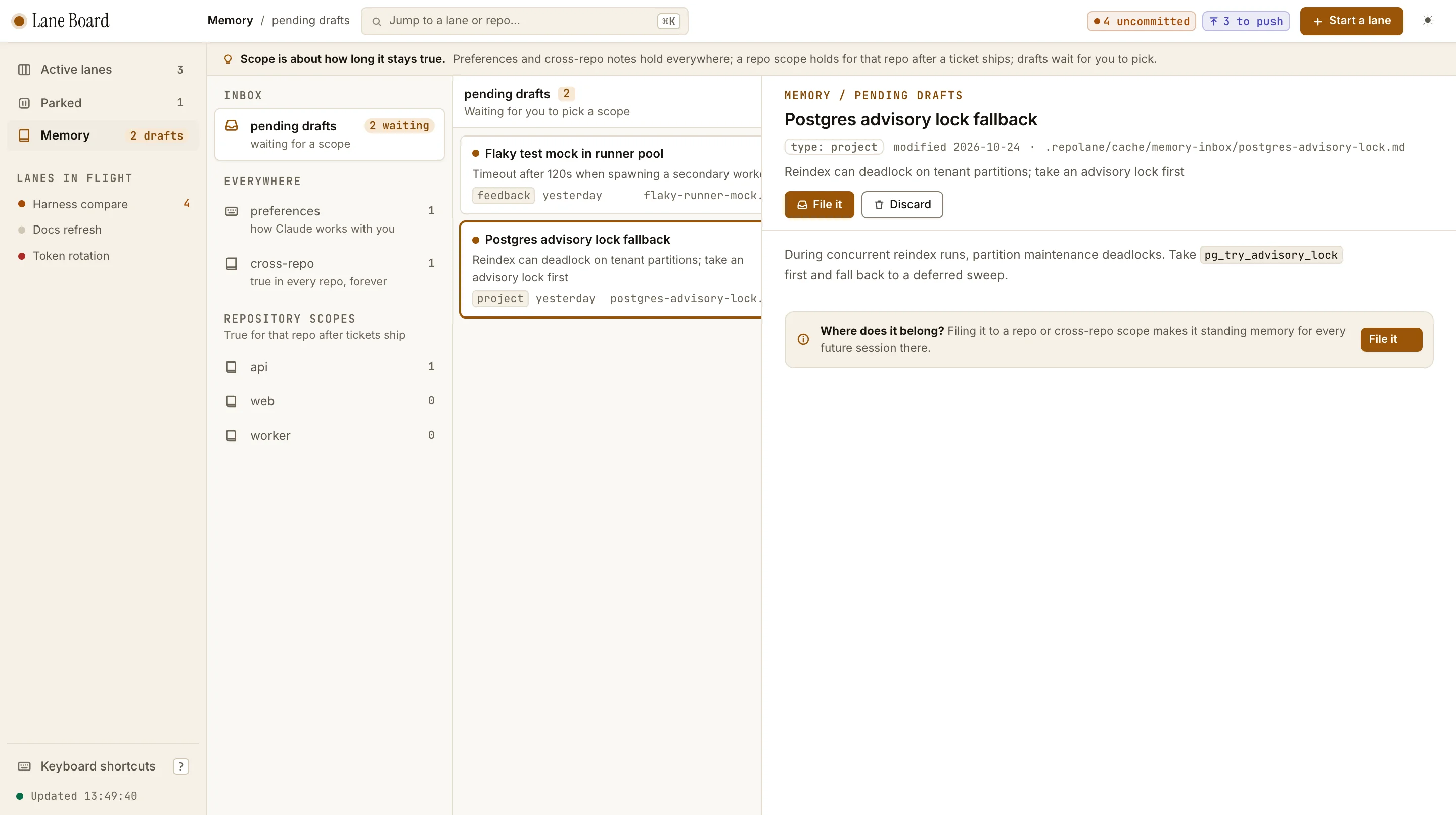
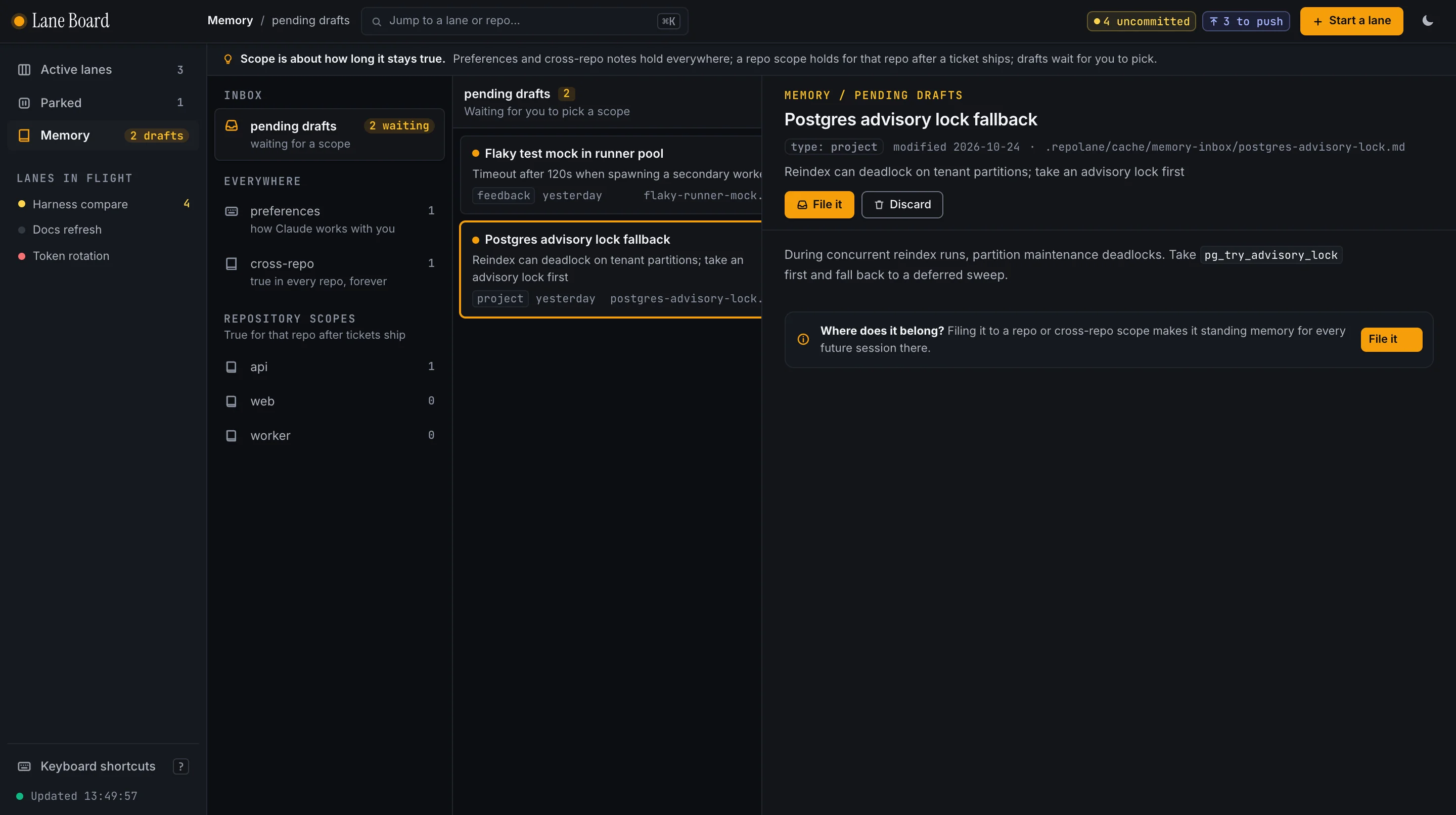
Press the jump control in the top bar, or Command-K (Ctrl-K also works), to open the palette and
move to any lane or repo without going back Home. Press ? for every keyboard shortcut.
The board follows your system’s light or dark setting; the theme button in the top bar cycles between system, light and dark.
Addresses
Every screen has its own address. Back and Forward step through screens, a reload keeps your place, and a link can be bookmarked or pasted into another tab.
| Address | Shows |
|---|---|
/ | Home |
/memory, /memory/<scope> | Memory, on one scope (cross, pref, drafts or repo:<repo>); ?file= opens a memory |
/lanes/<lane> | a lane, on its last or busiest repo |
/lanes/<lane>/<repo> | a lane’s changes in one repo; ?file=<path> opens that file’s diff |
/lanes/<lane>/<repo>/history | its history; ?repos=all shows every repo of the lane |
/lanes/<lane>/<repo>/commits/<sha> | one commit |
?theme=light, ?theme=dark, ?theme=system | on any page, the theme |
/w/<name>/… | any of the above in another registered workspace |
Moving somewhere adds a history entry; changing what a screen shows (the open file, the history scope) replaces it.
Editor integration
The board is not an editor, and it does not open one. Editors are served by workspace files that
lane start, lane resume, lane park and lane done regenerate (or run lane workspace any
time):
| File | Opens |
|---|---|
lanes/<id>/<id>.code-workspace | one window for one lane: the workspace (as folder lane) plus each repo’s worktree, named <id> · <repo> |
lane.code-workspace at the workspace root | the workspace plus every active lane’s worktrees |
They are written for VS Code’s multi-root workspaces (folders and settings). The settings hide
lanes, node_modules, dist, target, .nx and .venv from the file tree and search, and stop VS Code scanning parent folders for git repos
(git.openRepositoryInParentFolders: never). They are regenerated, so edit your own settings in
your editor’s user settings, not in these files. Another editor that reads .code-workspace files
will use them too; one that does not still opens the lane as an ordinary folder of worktrees.
Notes
Ticket keys link to wherever tracker.url in .repolane/config.yml points, and show as plain text
when it is blank. Edit the file to set it; Repolane never rewrites it.
The board tries to keep recognised secret files out of the page: it withholds their diffs, and refuses to
stage, commit or amend with them. That is name matching, not a guarantee: the matcher is case-insensitive and uses the guard’s full name list (a test fails if the
two ever differ), every git call runs with --literal-pathspecs, staging and diffing accept only exact changed
files (or a directory that holds changed files) so . and globs are refused with 400, amend and commit refuse
while a secret is staged, and a rename or copy is checked on both sides. A secret under a name that is not on the
list is an ordinary file to the board. A parked lane’s untracked secret files (the ones lane park leaves out)
are not counted as “dirty”. See Security model.
The “ahead” count on a repo is the same one lane status uses: commits on the branch that no
origin/* branch has, so a plain git push origin <branch> clears it.
The page is plain HTML, CSS and JavaScript with no build step. The board has its own regression suite
in the Repolane repo (scripts/board/test_board.py), which starts the real server on a scratch setup.
Network and limits
- Fonts. Inter, JetBrains Mono and Instrument Serif ship in the package (SIL OFL) and the board serves them itself, so the page makes no outbound requests.
- GitHub. Every 60 seconds the server runs
gh pr viewfor each branch to fill the pull request column. Withghmissing or signed out the column is empty. Push and Pull rungit push -u originandgit pull --ff-only. - Who can reach it. Other local accounts on the same machine can reach the port; the Host check
stops a web page in your browser, not another local user who sets
Host: 127.0.0.1:<port>. Read the board section of the security model before you run it anywhere shared. - macOS only: a reference’s Reveal action (in About this lane) runs
open -Rto show it in Finder. - Needs
gitandpython3;ghis optional.